
Learning Music With Ableton
📖 Table of Contents
- Getting Started with Ableton
- Integrating Music Theory Through Ableton
- Creative Projects with Ableton
- Collaborative Learning with Ableton
- Using Ableton for Music Production
- Tracking Progress with Ableton
- Encouraging Musical Exploration
- Using Ableton to Teach Music Composition and Arrangement
- Make It Your Way
- Frequently Asked Questions
I remember the first time my son sat down at the computer with Ableton Live. He was six, and his eyes lit up as he saw the colorful waveforms and the endless possibilities of making music. Learning music with Ableton wasn’t just about the software—it was about the freedom it gave him to explore, to experiment, and to express himself in ways he hadn’t imagined possible before. As a homeschooling parent, I was thrilled to find a tool that made learning music not just accessible, but fun and deeply engaging.[4]
Ableton is more than a digital audio workstation; it's a creative playground. My son used it to record his own voice, layer in drum beats, and even remix a song he heard on the radio. Learning music with Ableton became our way to bridge the gap between structured lessons and unstructured creativity. The software's intuitive interface made it easy for him to jump in and start creating, even before he had a solid grasp of traditional music theory.
Over time, we've discovered that Ableton can support a wide range of musical styles and skill levels. Whether we're learning about rhythm, melody, or harmony, the software provides a visual and auditory way to understand these concepts. Learning music with Ableton isn’t just about making beats—it's about understanding the language of music in a way that feels natural, hands-on, and deeply personal.
Why You'll Love This Learning Approach
- Interactive and visually engaging learning for all ages
- Encourages creativity and self-expression through music
- Provides a foundation for both musical and technical skills
- Accessible to beginners with intuitive software features
Getting Started with Ableton
As of August 2026, Starting with Ableton requires only a computer, a MIDI controller (optional), and a subscription to Ableton Live. The software is available in several versions, including a free version that offers a subset of features. For homeschooling, this makes it an affordable and accessible option for introducing music creation to young learners.[1]
The interface is designed to be intuitive, with a session view for live performance and an arrangement view for composing and editing. These views help students understand the structure of music in a visual way, making it easier to grasp complex concepts like timing and layering.
I've found that even very young children can handle the basics of Ableton, especially with guided lessons and parental support. My son began by experimenting with the session view, triggering loops and recording his own sounds, and that sparked a lifelong interest in music production.
Use the free version of Ableton Live to introduce the basics of music production without the cost of a full subscription. It's perfect for younger learners who are just beginning to explore the world of digital music.
Part of our Teach music guide.
Integrating Music Theory Through Ableton
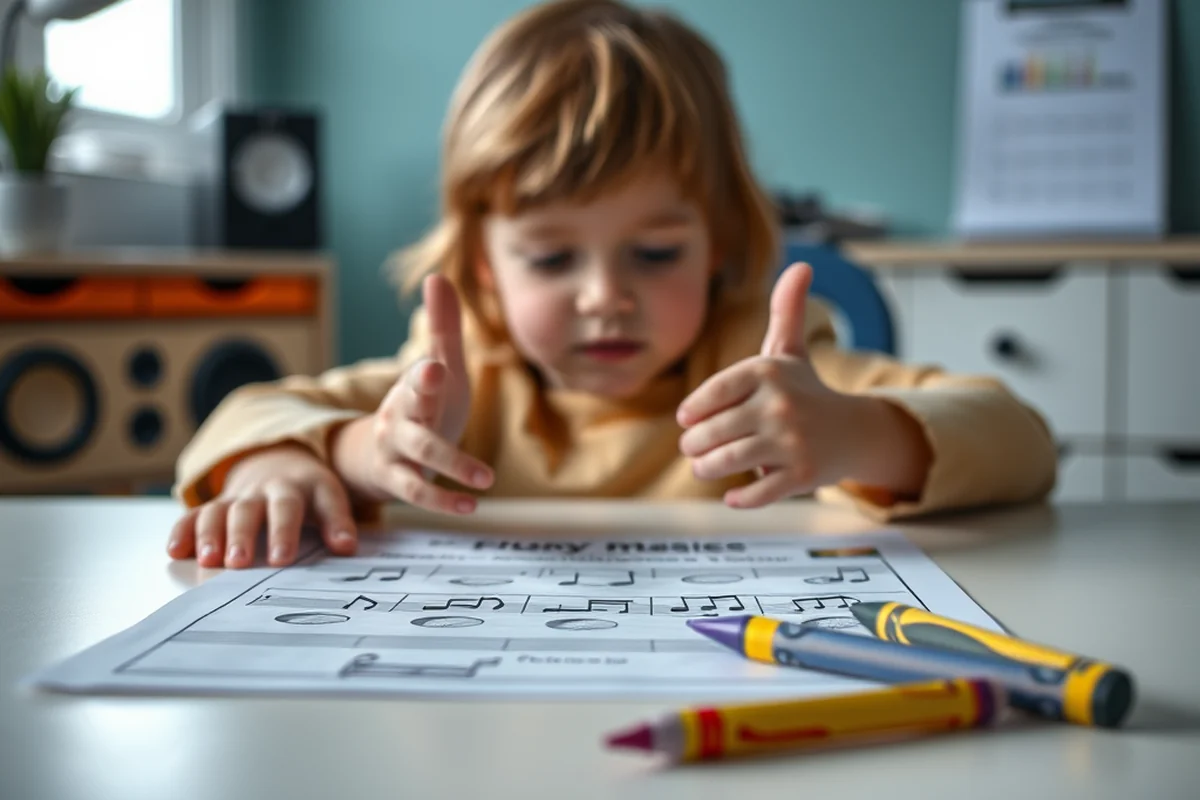
While Ableton is primarily a digital audio workstation, its features can also be used to teach music theory. For example, students can use the piano roll to visually see and manipulate notes, helping them understand scales, intervals, and chord progressions.
I've used the piano roll to teach my son about the structure of major and minor chords by having him create simple progressions. This hands-on approach made abstract concepts more tangible and easier to grasp.
By layering different instruments and experimenting with harmonic relationships, students can develop a deeper understanding of how music works. This is a far cry from traditional rote memorization of scales and modes.
Music theory becomes a tactile and visual experience when using Ableton.
Related: Cheryl teach music reviews
Related: Music diploma courses in kerala
Related: Teach music online reviews
Creative Projects with Ableton
One of the most exciting aspects of learning with Ableton is the ability to create music from scratch. Students can start with simple loops and build up to full compositions, learning about arrangement, dynamics, and sound design along the way.
I've had my son remix songs he loves, which has been an excellent way for him to understand how music is structured and how different elements can be manipulated to create a new sound.
These creative projects not only develop musical skills but also encourage problem-solving, critical thinking, and collaboration when working on group projects.
Encourage students to remix songs they already know. This provides a foundation for learning new techniques and builds confidence as they experiment with different sounds and styles.
“I remember the first time my son sat down at the computer with Ableton Live.”— Teaching Music to Homeschoolers editors
Related: How can i teach music
Related: Music lessons in nyc
Related: Study music in english
Collaborative Learning with Ableton
Even if students are working from different locations, Ableton makes it possible to collaborate in real time. This is especially useful for homeschooling groups or families who want to work together on music projects.
I've had my son collaborate with his cousins on a track using Ableton, and the experience was incredibly rewarding. It taught them how to communicate, share ideas, and work together toward a common goal.
Collaborative projects also provide an opportunity to learn from others, share feedback, and develop a sense of community around music creation.
Related: Learning song in english
Related: Learning with music
Using Ableton for Music Production
As students become more comfortable with Ableton, they can move on to more advanced features such as automation, effects processing, and mixing. These tools allow for a more detailed and polished approach to music production.
I've watched my son use automation to create dynamic changes in volume and pan, which has helped him understand how music can be shaped and controlled over time.
With the right guidance, students can learn to produce music that sounds professional and is ready for sharing with others.
Related: What is pedagogy music
Related: Why teach music
Tracking Progress with Ableton
One of the benefits of using Ableton is that it allows students to save their work and revisit it later. This makes it easy to see how their skills have developed and where they can improve.
I've found that reviewing past projects with my son is a great way to discuss what he's learned and how he can apply those lessons to new projects.
By keeping a portfolio of work created in Ableton, students can see their growth and stay motivated to continue learning and creating.
Tracking progress in Ableton helps students see their growth and stay motivated.
Related: Teach music experience
Related: Music classes
Encouraging Musical Exploration
One of the greatest strengths of Ableton is its versatility. It can be used to create everything from electronic music to hip-hop, classical, and even film scores.
I've had my son experiment with different genres, and each time, he's discovered new sounds and techniques. This exploration has helped him develop a unique musical identity and a deeper appreciation for different styles of music.
Encouraging students to explore different genres and styles not only broadens their musical horizons but also helps them develop a more well-rounded skill set.
Using Ableton to Teach Music Composition and Arrangement
Ableton's arrangement view allows students to experiment with song structure, transitions, and layering, making it an excellent tool for teaching composition. I've used it to help students break down a song into its core components—verse, chorus, bridge—by dragging and dropping clips into specific sections of the timeline. One student, who had trouble organizing their ideas, used this method to write their first full song in just three weeks. The visual aspect of arranging clips helped them see the bigger picture and understand how different parts of a song interact.
To make this process more engaging, I often set a challenge, like arranging a song using only three instruments. This encourages creativity and problem-solving. For example, one student created a compelling piece using just a piano, a synth, and a drum machine, which taught them about balance and dynamics. By setting a time limit, such as 45 minutes for the entire arrangement, they learned to work efficiently and think critically about their choices. This method also helps them understand the importance of variety and contrast in music.[2]
Another benefit of the arrangement view is the ability to use automation to control parameters like volume, panning, and filters. I've had students use automation to create dynamic changes within a song, such as fading out a guitar solo or building up a chorus. One student used automation to gradually increase the reverb on a vocal track, which gave their song a more professional feel. This not only taught them about mixing but also helped them understand how subtle changes can dramatically affect the mood and atmosphere of a piece.
🎹 Younger Kids Music Making
Use the free version of Ableton to let kids explore simple loops and sounds, encouraging creativity and basic music theory through play.
🎧 Advanced Music Production
For older students, use Ableton to teach advanced techniques like mixing, automation, and sound design, helping them create professional-quality music.
🎨 No-Prep Music Fun
Start with no preparation by using the free version of Ableton and preloaded loops to let kids create music instantly.
🤝 Group Music Projects
Collaborate with others using Ableton's real-time features for group music creation, encouraging teamwork and shared learning.
📘 Music Theory Through Ableton
Use Ableton's visual tools to teach music theory in a hands-on way, making abstract concepts like scales and chords more tangible.
| The mistake | Why it happens | The fix |
|---|---|---|
| Overlooking the importance of guided lessons. | Without guidance, students may struggle to understand the features and capabilities of Ableton, leading to frustration and disengagement. | Use guided lessons and tutorials to help students learn the basics of Ableton and build confidence in their abilities. |
| Focusing too much on the technical aspects of Ableton. | Focusing on the technical side of Ableton may discourage students who are more interested in the creative aspects of music making. | Balance technical instruction with creative exploration to keep students engaged and motivated to learn. |
| Not encouraging exploration and experimentation. | Encouraging exploration is crucial for developing creativity and problem-solving skills, which are essential for music making. | Provide students with opportunities to experiment with different sounds, genres, and techniques in Ableton to foster creativity and innovation. |
Learning Music With Ableton
Common Questions
What age is Ableton suitable for?
Do I need a MIDI controller to use Ableton?
Can Ableton be used for live performances?
How does Ableton support music theory learning?
Cite this guide
Teaching Music to Homeschoolers (2026). Learning Music With Ableton. https://melodystart.com/learning-music-with-ableton/[3]
Feel free to cite or share this guide.
References
- Ableton Live Research Papers - Academia.edu (academia.edu)
- Best Music Software for Beginners: Top DAWs Compared | AIMM (aimm.edu)
- 1500 Sound Academy - BPPE (bppe.ca.gov)
- MUS345 Course - University of Arizona Catalog (catalog.arizona.edu)