
What Is Music Production Software

📖 Table of Contents
- What Is Music Production Software?
- How Music Production Software Helps Homeschoolers Learn
- The Benefits of Music Production Software for Homeschooling
- How to Get Started with Music Production Software
- The Role of Music Production Software in Homeschool Curriculum
- Music Production Software and Emotional Development
- Tips for Using Music Production Software in a Homeschool Setting
- Make It Your Way
- Frequently Asked Questions
I remember the first time I sat down at my computer, my daughter's hands dancing across the keyboard as we created a simple melody together. It was magic, really — not because of the music, but because of the way it brought us closer. That moment made me realize how powerful music production software could be for homeschooling families. What is music production software, you ask? It's the digital equivalent of a composer's studio, but accessible from a laptop or tablet. And it's not just for kids who want to be rock stars; it's a tool that can ignite creativity, teach technical skills, and make learning music fun.[4]
Back when I first started homeschooling, I didn't know what music production software was. I thought it was just for professional musicians or people with expensive gear. But the truth is, it's far more accessible than I ever imagined. You don't need a state-of-the-art studio or a degree in music production — all you need is a computer, a few basic tools, and a curiosity about sound. What is music production software? It's the digital backbone of modern music creation, offering everything from virtual instruments to powerful editing features. And if you're a homeschooling parent, it's a game-changer for teaching your kids about rhythm, melody, and the science of sound.[5]
I remember the first time my son asked me, 'Can we make a song together?' His eyes were wide with excitement, and I realized how much potential there was in music production software. What is music production software, really? It's a gateway to a world of creativity that doesn't require expensive instruments or formal training. It's about learning through doing — and that's exactly what makes it perfect for homeschooling. Whether you're just beginning or you're looking for more advanced tools, music production software can be tailored to fit your family's needs. And the best part? It can be as simple or as complex as you want it to be.
Why You'll Love This Educational Tool
- It's accessible and affordable, with free and paid options for all skill levels.
- It fosters creativity by allowing kids to compose, produce, and mix their own music.
- It teaches technical skills like music theory, rhythm, and digital editing.
- It's a flexible learning tool that can be adapted to different ages and learning styles.
What Is Music Production Software?
As of October 2026, Music production software is the digital version of a music studio. Think of it as a virtual mixing board, with everything from drum machines to synthesizers at your fingertips. For homeschooling families, this kind of software is a revelation — it's like having a music studio in the living room. I remember when I first downloaded a basic DAW (Digital Audio Workstation) onto my laptop and watched my daughter's eyes light up as she added her own melody to a song we were creating together. It was an instant hit, and it opened up a whole new world of learning and creativity.[1]
These tools range from beginner-friendly apps like GarageBand and FL Studio to more advanced platforms like Ableton Live and Logic Pro. They all allow users to create music through a combination of virtual instruments, loops, and audio recordings. For homeschoolers, the best part is that many of these programs are free or low-cost, making them accessible to families on a variety of budgets. Whether you're looking for something simple or something more complex, there's a music production software out there that can fit your needs.
One of the biggest benefits of using music production software in a homeschool setting is the way it blends learning with creativity. As I discovered with my kids, creating music with this software doesn't just teach them how to play an instrument — it teaches them about rhythm, melody, harmony, and the science of sound. It's a powerful tool that can be used to teach math through timing and patterns, or to explore the emotional power of music in a structured, engaging way.
Choose a simple DAW with a user-friendly interface. GarageBand is an excellent option for beginners, especially if you're on a Mac.
How Music Production Software Helps Homeschoolers Learn
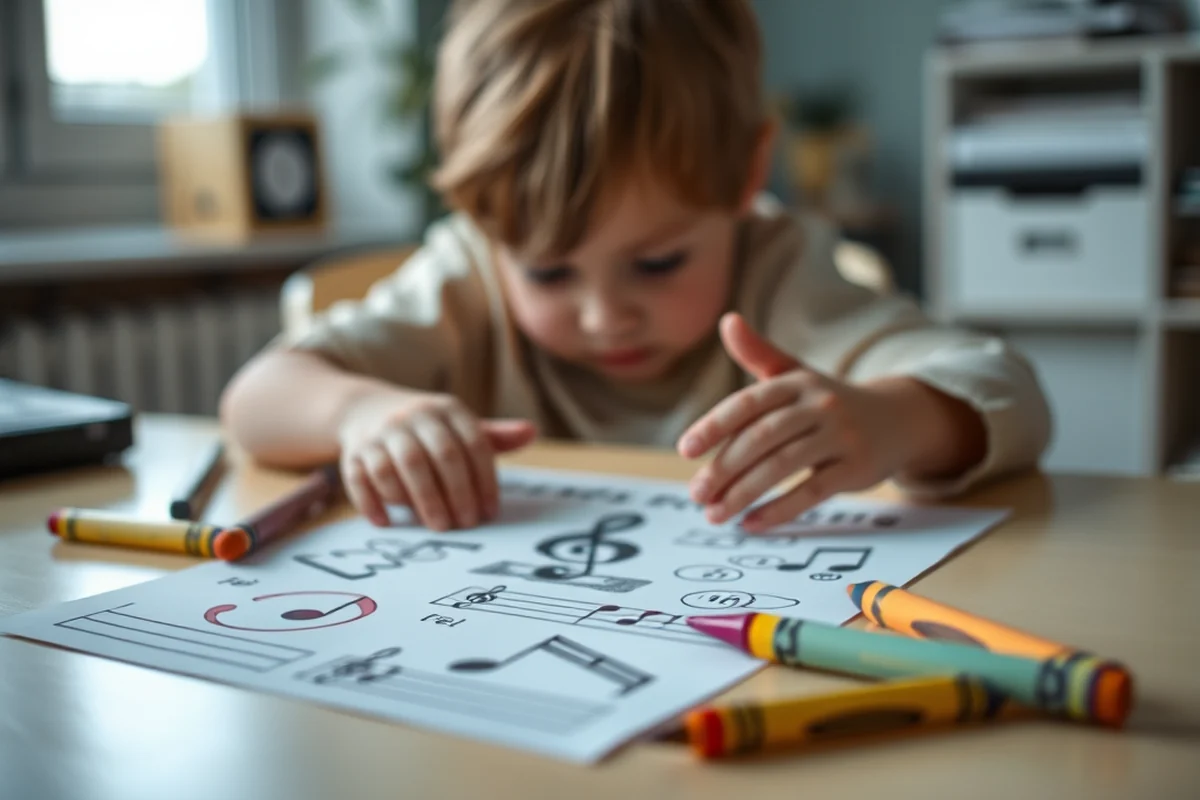
One of the most surprising things I learned through using music production software was how much my kids picked up about music theory without even realizing they were learning. They weren't sitting in a classroom, but they were learning about tempo, key signatures, and even the science behind sound waves. It was all happening in the context of a fun, hands-on activity. I remember my daughter asking, 'Why does this note sound happy and that one sound sad?' and I realized she was starting to understand the emotional nuances of music — just through play.
These tools also encourage problem-solving and critical thinking. When my son was trying to layer different sounds in a track, he had to figure out how to balance the volume and timing of each element. It was like solving a puzzle, but with music. The process of creating a track taught him about structure, dynamics, and the importance of space in a song. It was all part of the learning experience, and it made music feel like a science as much as an art.
And using music production software in a homeschool setting can be a great way to explore different genres and styles. My daughter and I created a song in the style of a classical piece, and then another one with an electronic beat. It was a way for us to explore different cultures, time periods, and musical traditions. It's an educational experience that goes far beyond just learning to play an instrument — it's about understanding the world through music.
Music production software turns learning into an adventure, where every note is a lesson.
Related: Is a spotify free
The Benefits of Music Production Software for Homeschooling
One of the most obvious benefits of music production software for homeschooling is that it's a great way to foster creativity. It allows kids to express themselves through music, whether they're writing lyrics, composing melodies, or experimenting with different sounds. I remember the first time my son created a beat that he was really proud of — it was a moment of pure joy and self-expression. It's not just about creating music, but about discovering who they are through the process.
Another benefit is that it teaches technical skills that are valuable in the real world. Music production software introduces kids to concepts like digital editing, mixing, and mastering — skills that are used by professional musicians and producers. When I first started using these tools with my kids, I was amazed at how quickly they picked up on things like volume levels, panning, and EQ settings. It was like they were learning the language of music production, and it was all happening in a fun, hands-on way.
Perhaps the most important benefit is that it can be adapted to different learning styles and ages. Whether you're working with a preschooler who loves to make simple beats or a teenager who wants to create full songs, there's a music production software that can fit your needs. It's a versatile tool that can be used to teach everything from basic rhythm to advanced music theory.
Let your kids explore music production software in their own way — whether they're visual learners, auditory learners, or kinesthetic learners.
“I remember the first time I sat down at my computer, my daughter's hands dancing across the keyboard as we created a simple melody together.”— Teaching Music to Homeschoolers editors
Related: Rate your music
How to Get Started with Music Production Software
If you're new to music production software, the first step is to choose a platform that's right for your family. Many of the top DAWs are free to try, and some even offer free versions with full features. I remember when I first tried out GarageBand — it was so user-friendly that even my 5-year-old daughter could navigate it within minutes. It was a great starting point for our family, and it allowed us to explore the basics of music production without any steep learning curve.
Once you've chosen a DAW, the next step is to set up your workspace. This means making sure your computer is running the latest operating system and that you have the necessary audio drivers installed. If you're using a Windows PC, you may need to install some additional software to make sure everything runs smoothly. I found that taking the time to set up my system properly made a big difference in the overall experience — it minimized glitches and made the process more enjoyable for everyone.
Finally, once you've got everything set up, the fun begins. You can start by exploring the different tools available in your chosen DAW. There are virtual instruments, loops, and effects that can be used to create a wide range of music. I recommend starting with the basics — creating a simple beat or melody — and then gradually building up your skills. The key is to have fun and not get discouraged if things don't work perfectly at first.[2]
Related: What is study music
The Role of Music Production Software in Homeschool Curriculum
One of the most powerful ways to use music production software in a homeschool curriculum is to integrate it with other subjects. For example, when we were studying math, we used the software to explore concepts like fractions and decimals through rhythm and timing. It was an unexpected but effective way to make math more engaging and hands-on for my kids. I remember my son saying, 'I get it now — the beat is divided into parts of a whole,' and I realized how much he was learning.
In addition to math, music production software can be used to teach science by exploring the physics of sound waves and how different frequencies affect the way we hear music. We did an experiment where we compared the sound of a high note and a low note using the software, and it was a great way to make abstract concepts more concrete. My daughter was fascinated by the way the software visualized sound waves, and it sparked a real interest in science that I hadn't expected.
Music production software can also be used to teach literature and language arts by encouraging kids to write their own lyrics or to analyze the structure of songs. It was a way for us to explore different writing styles, poetry, and even historical contexts in music. It made learning about literature feel more like a creative process and less like a chore, which was a big win for us as homeschoolers.
Related: What is lofi study music
Music Production Software and Emotional Development
Beyond the technical and academic benefits, music production software can also support emotional development in homeschooling families. It gives kids a safe and creative space to express their feelings, whether they're happy, sad, or frustrated. I remember the first time my daughter used the software to create a song about a difficult experience she was going through — it was a powerful way for her to process her emotions and feel understood.
Creating music with this software can also help kids build confidence and self-esteem. When my son created a beat that he was really proud of, he shared it with the whole family, and it was a moment of pure pride and accomplishment. It showed him that his ideas and creativity mattered, and it helped him feel more confident in other areas of his life.
Music production software can be a great tool for teaching empathy and collaboration. When we worked on a group project together, my kids had to listen to each other's ideas, compromise on certain elements, and support one another throughout the process. It was a real-life lesson in teamwork and communication, and it made the experience even more valuable.
Music production software is more than a tool — it's a way to help kids express themselves and grow emotionally.
Related: Spotify for artists
Tips for Using Music Production Software in a Homeschool Setting
One of the most important things to keep in mind when using music production software in a homeschool setting is to set clear goals and expectations. Whether you're working on a specific project or just exploring the software, it's helpful to have a plan. I found that setting aside a specific time each week for music production helped my kids stay focused and made it easier for us to build on our progress over time.
Another tip is to encourage experimentation and creativity. Music production software is a tool, but the most powerful thing about it is the way it allows kids to explore their own ideas. I remember when my daughter tried to create a beat using only her voice — it was a wild and creative idea, but it showed her how versatile the software could be. It's important to let kids take risks and try new things, even if they don't always work out perfectly.
Finally, make sure to take breaks and stay patient. Learning to use music production software can be a slow process, especially for younger kids. It's important to keep things fun and not to get discouraged if progress is slow. I found that taking breaks and revisiting the software later helped my kids stay engaged and motivated to keep learning.
🎹 For Younger Kids
Use simple DAWs with visual and interactive tools to help younger kids create basic beats and melodies.
🎧 For Older Kids
Use advanced DAWs to explore more complex music production techniques and create full songs.
💻 No-Prep Version
Use free, ready-to-go music production software that requires no setup or installation.
👥 Group Version
Use collaborative features to work on music projects with multiple kids or family members.
🎨 Extension Activity
Combine music production software with art or writing to create multimedia projects that explore different subjects.
| The mistake | Why it happens | The fix |
|---|---|---|
| Choosing a DAW that's too complex for your child's skill level | If the software is too advanced, it can be overwhelming and discourage your child from using it. | Start with a beginner-friendly DAW and gradually introduce more advanced features as your child becomes more comfortable with the software. |
| Not setting clear goals or expectations | Without a plan, it's easy for kids to become disengaged or lose interest in the software. | Set clear goals and expectations for each music production session, and make sure to revisit them regularly to track progress. |
| Not encouraging experimentation and creativity | If kids are too focused on following a strict template or tutorial, they may miss out on the creative benefits of the software. | Encourage your child to experiment with different sounds, styles, and techniques. Let them take the lead and explore their own ideas. |
| Forgetting to take breaks | Music production can be mentally exhausting, especially for younger kids who may get frustrated or bored if they spend too much time on it at once. | Make sure to take breaks and allow your child to step away from the software when needed. It's important to keep the experience fun and not overwhelming. |
What Is Music Production Software
Common Questions
What are the best music production software for homeschooling?
Do I need a special computer to use music production software?
Can I use music production software with my kids if I have no musical experience?
How can I make sure my kids stay engaged with music production software?
Cite this guide
Teaching Music to Homeschoolers (2026). What Is Music Production Software. https://melodystart.com/what-is-music-production-software/[3]
Feel free to cite or share this guide.
References
- School of Music Production & Sound Design for Visual Media (academyart.edu)
- Best Music Software for Beginners: Top DAWs Compared | AIMM (aimm.edu)
- MUSIC AND AUDIO PRODUCTION 15.0307.00 TECHNICAL ... (azed.gov)
- Music Directors and Composers : Occupational Outlook Handbook (bls.gov)
- 1500 Sound Academy - BPPE (bppe.ca.gov)
Homeschool Music Lesson Planner
Builds a multi-week homeschool music plan mixing practice, theory, rhythm and listening.
Open it free →