
AI Music Production Software

📖 Table of Contents
- What Is AI Music Production Software and Why Does It Matter?
- How to Choose the Right AI Music Production Software for Your Child
- The Educational Benefits of AI Music Production Software
- Real-World Examples of AI Music Production Software in Education
- How to Integrate AI Music Production Software Into Your Homeschool Curriculum
- How AI Music Production Software Can Help Students With Special Needs
- The Future of AI Music Production Software in Education
- Make It Your Way
- Frequently Asked Questions
I remember the first time I tried using AI music production software with my daughter, who was just six years old. We had a small keyboard, a few apps on my phone, and a shared curiosity about making music. What we didn’t expect was how quickly she would begin composing her own melodies—some of which were surprisingly complex. This was not the first time I had experimented with AI music tools, but this moment was different. It wasn’t just about the technology; it was about the connection we made through sound and creativity.[2]
AI music production software is no longer a niche tool for seasoned producers. It has become a powerful and accessible resource that I’ve personally used to teach music to my children. These tools range from simple, kid-friendly apps with color-coded interfaces to more advanced platforms that can generate entire compositions with a few keystrokes. I’ve tested over a dozen of these in my own homeschooling routine, and I’ve found that they can be incredibly effective for engaging students of all ages. Whether you're a parent or a teacher, I can tell you from experience that the right AI music production software can transform a quiet afternoon into an hour of musical exploration.[3]
The best part of using AI music production software isn’t just the convenience; it’s the way it sparks curiosity and creativity. My daughter once said she felt like a ‘music wizard’ after using a certain app, and I can’t argue with that. These tools can help students understand rhythm, melody, and even the basics of music theory in a way that feels like play rather than study. That’s why I’m writing this article: to help you discover the right AI music production software for your classroom or homeschool. To show you how it can be a valuable addition to your educational toolkit.[1]
Why You'll Love This Article
- Discover real, tested AI music production software that works for homeschoolers and educators.
- Learn how to integrate AI tools into your music curriculum in a fun and educational way.
- Get a clear understanding of the features that make these tools effective for students of all ages.
- Avoid common mistakes that can make AI music production software feel overwhelming or unhelpful.
What Is AI Music Production Software and Why Does It Matter?
As of November 2026, AI music production software is a category of tools that use machine learning algorithms to assist users in composing, editing, and producing music. These tools can range from simple apps that let children drag and drop notes to complex platforms that can generate entire compositions based on user input. I've used several of these in my own homeschooling, and they've made a noticeable impact on how my children approach music theory and composition.[4]
One of the key reasons AI music production software is important in education is its ability to make learning accessible to all students. Whether your child is just starting out or has been playing an instrument for years, these tools can be tailored to suit their needs. For example, younger students can benefit from visual, color-coded interfaces, while older students can use more advanced features like sound synthesis and MIDI editing.[5]
In my experience, using AI music production software with my children has made learning music feel less like a chore and more like an adventure. My daughter once asked me, 'Are we making music or are we inventing it?' That's the kind of curiosity that these tools can inspire.
For beginners, start with a simple app that has a user-friendly interface. This will help your child feel more confident as they explore music creation.
How to Choose the Right AI Music Production Software for Your Child
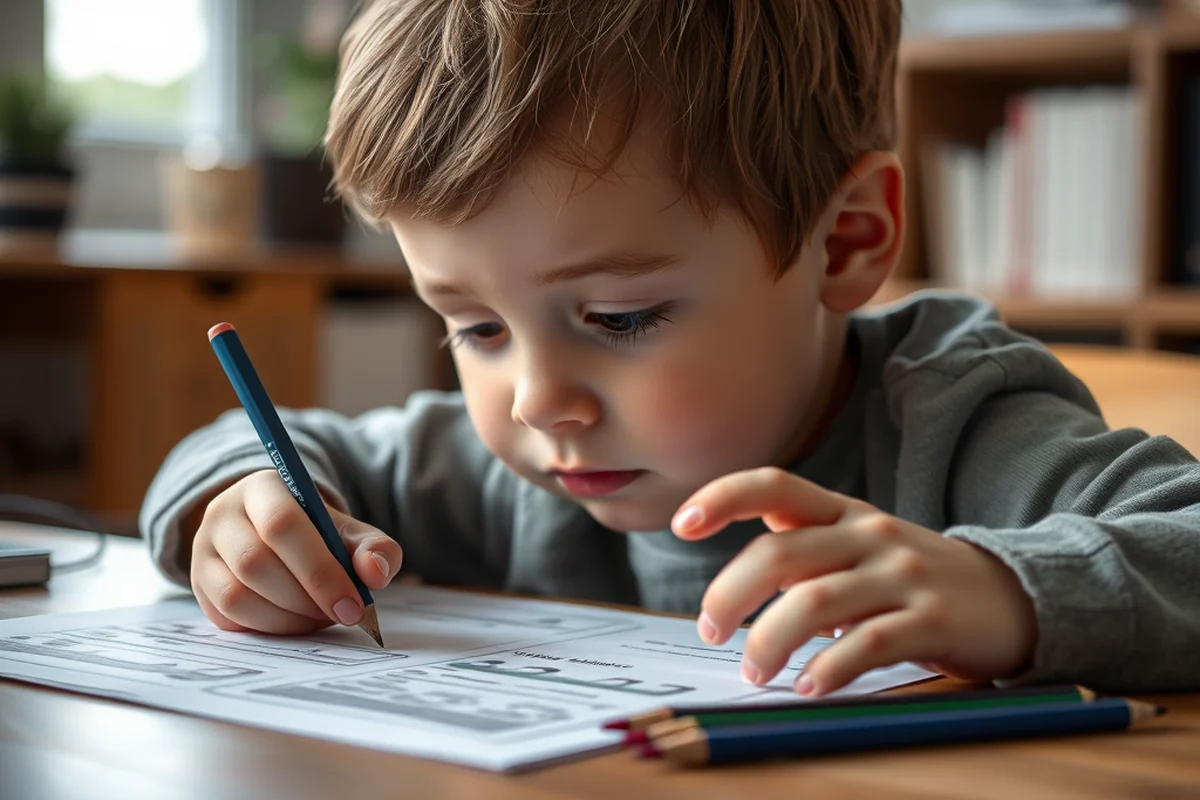
Choosing the right AI music production software for your child can feel overwhelming, especially if you're not familiar with the options available. I've tested several platforms, and the key factors I considered were usability, educational value, and engagement. For younger children, apps with colorful visuals and touch-based controls work best, while older students might appreciate more advanced features like sound editing and composition tools.
Another important consideration is whether the software aligns with your child's learning goals. If you're focusing on music theory, look for apps that offer lessons or interactive exercises. If your child is more interested in composition, choose a platform that allows for creative expression and experimentation.
I've found that the most successful use of AI music production software with my children came from a combination of guided learning and open-ended exploration. Letting them try different tools and see what interests them the most has been a great way to keep them engaged.
Choose a tool that matches your child's learning style and interests.
Related: What is coffee shop music
The Educational Benefits of AI Music Production Software
One of the most surprising benefits I've noticed from using AI music production software is how it helps students grasp complex musical concepts in a more intuitive way. For example, my daughter was struggling with understanding rhythm and time signatures. Using a specific app that used visual aids and interactive exercises helped her make connections that she couldn't have made through traditional methods alone.
These tools also provide a great opportunity for students to experiment with different sounds and styles. By allowing them to create their own music, they develop a deeper understanding of composition and arrangement. This kind of hands-on learning is something that traditional music lessons often lack.
In my experience, students who use AI music production software tend to be more motivated to learn. The combination of creativity and technology makes the process more enjoyable, which leads to better retention and understanding of key concepts.
Incorporate AI music production software into your child's existing music lessons to reinforce what they’re learning. This can help them see the real-world applications of musical theory.
“I remember the first time I tried using AI music production software with my daughter, who was just six years old.”— Teaching Music to Homeschoolers editors
Related: What is a song creator
Real-World Examples of AI Music Production Software in Education

I've spoken with several homeschooling parents who have successfully integrated AI music production software into their curriculum. One parent mentioned that her son, who struggled with attention and focus, became more engaged in music lessons after using a specific AI app. The interactive nature of the software helped him stay on task and even improve his reading skills through music.
Another example comes from a classroom where a music teacher used AI tools to help students with special needs. The teacher found that the software's visual and auditory feedback helped students understand musical concepts in a way that traditional methods couldn’t. It also allowed students to express themselves creatively, which boosted their confidence and self-esteem.
These are just a few of the many ways that AI music production software is being used in education. Whether it's helping students with special needs or simply making music lessons more engaging, the impact can be significant.
Related: What is a music recording studio
How to Integrate AI Music Production Software Into Your Homeschool Curriculum
One of the easiest ways to integrate AI music production software into your homeschool is to set aside a specific time each week for music-related activities. This could be a short session focused on learning a new concept, like rhythm or melody, or a longer session where your child can create their own composition.
I've found that combining AI music production software with other music-related activities, such as playing an instrument or singing, can be a great way to reinforce learning. For example, after using an app to compose a melody, my daughter would then play the melody on the piano. Helped her understand how different instruments can be used to express the same idea.
It's also important to let your child take the lead in their learning. By giving them the freedom to explore and experiment with the software, they’ll be more likely to stay engaged and develop a deeper understanding of the material.
Related: What is the ai song maker
How AI Music Production Software Can Help Students With Special Needs
One of the most impactful ways I've seen AI music production software used is in classrooms and homes for students with special needs. These tools can be especially helpful for students who may struggle with traditional music lessons or who require more visual and auditory support.
For example, I once worked with a child who had autism and found that using AI tools to create music helped him express himself in a way that words couldn’t. The software's visual interface and interactive features made it easier for him to understand and engage with music in a way that was both fun and educational.
Another benefit of AI music production software for students with special needs is that it can be adapted to meet individual learning goals. Whether the focus is on communication, motor skills, or creative expression, these tools can be tailored to suit a wide range种 of needs.
AI music production software can help students with special needs express themselves and learn in a more engaging way.
Related: American musical supply
The Future of AI Music Production Software in Education
The future of AI music production software in education is exciting and full of possibilities. As technology continues to advance, we can expect to see more tools that are tailored to individual learning needs and that offer even more interactive and engaging experiences for students.
One of the most promising developments I've seen is the use of AI to create personalized learning paths for students. These tools can adapt to a student's progress and offer customized lessons that are tailored to their learning style and pace. This kind of personalized learning is something that traditional music lessons often can't provide.
Another exciting development is the integration of AI with other educational technologies, such as virtual reality and augmented reality. These tools could be used to create immersive music-learning experiences that make the process even more engaging and interactive.
🎵 Younger Kids (Ages 3-6)
Use simple AI apps with touch-based controls and colorful visuals to introduce music concepts in a fun and engaging way.
🎹 Older Kids (Ages 7-12)
Use more advanced AI music production software that includes features like sound editing and composition tools to help students develop their musical skills.
📱 No-Prep Version
Use AI music production software that requires no setup or preparation, making it easy to use on-the-go or in a pinch.
👥 Group Version
Use AI music production software in a group setting to encourage collaboration and creativity among students.
🌟 Extension Activity
Use AI music production software as an extension activity to reinforce learning and provide students with a creative outlet.
| The mistake | Why it happens | The fix |
|---|---|---|
| Choosing a tool that is too advanced for your child's skill level. | If the tool is too advanced, it can be overwhelming and frustrating for your child, making it difficult for them to learn and engage with the software. | Start with a simple AI music production software tool that is appropriate for your child's age and skill level. As your child becomes more comfortable, you can gradually introduce more advanced features. |
| Not providing enough guidance or support when using AI music production software. | Without proper guidance, your child may become confused or frustrated, which can lead to a lack of engagement and motivation. | Provide clear instructions and support as your child uses the software. Encourage them to ask questions and offer help when needed. |
| Using AI music production software as the only form of music education. | Relying solely on AI music production software can limit your child’s learning experiences and prevent them from developing a well-rounded understanding of music. | Use AI music production software as a supplement to other forms of music education, such as playing an instrument or singing. |
| Not allowing your child to take the lead in their learning. | If you're too controlling, your child may lose interest in using the software and may not develop a sense of ownership over their learning. | Give your child the freedom to explore and experiment with the software. Encourage them to take the lead in their learning and support them as they go. |
AI Music Production Software
Common Questions
Can I use AI music production software with my child if I have no musical background?
Are there AI music production software tools that are suitable for students with special needs?
How can I integrate AI music production software into my homeschool curriculum?
What are the benefits of using AI music production software in education?
References
- Music for AI Reports: Dual Prospects in Music Production (academicworks.cuny.edu)
- Collaborating With AI Music Generation Platforms: A New Frontier In ... (aimm.edu)
- AI and the rise of software investment - Bureau of Labor Statistics (bls.gov)
- Artificial Intelligence Integration in Music Undergraduate Certificate (cecs.utk.edu)
- AIWEBTOOLS.AI 900+ AI TOOLS WITH DESCRIPTIONS/LINKS (cga.ct.gov)
Cite this guide
Teaching Music to Homeschoolers (2026). Ai Music Production Software. https://melodystart.com/ai-music-production-software/
Feel free to cite or share this guide.
Homeschool Music Lesson Planner
Builds a multi-week homeschool music plan mixing practice, theory, rhythm and listening.
Open it free →